Kids Need Their Own Login
Kids should not need your password to see today’s list. Give them their own login so they can check off work while you keep the parent account.
For the sake of simplicity, you only have one account login for Homeschool Manager. However, you can let your kids log in by enabling the “family login” in the “Account” menu under “Login Settings”. You can also send them to student login.
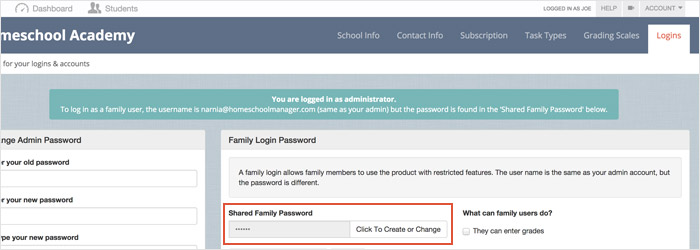
What is the “family login”?
The “family login” uses the same email address you used to sign up for Homeschool Manager, but with a different password. This login can be used by your kids to access Homeschool Manager to view their assignments and check tasks complete when they finish them.
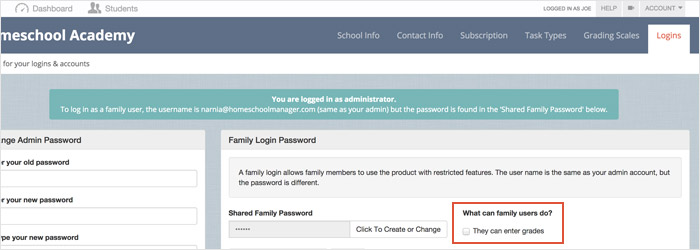
What can be enabled/disabled with the family login?
The only difference between the family login and the normal login is the option to enable/disable grading ability for the family login.